I Built a Sunsamagotchi
A tiny hardware companion that shows your Sunsama tasks, lets you check them off, and runs a timer — without trying to steal your attention.
I have a problem.
I sit down to work, open Sunsama, look at what I planned for the day, close the tab—and then immediately forget what I was doing. So I open it again. Then I get distracted by something else. Then I open it again.
Repeat that loop enough times and somehow the day is gone.
The obvious solution was to spend a weekend building a dedicated piece of hardware.
What It Does
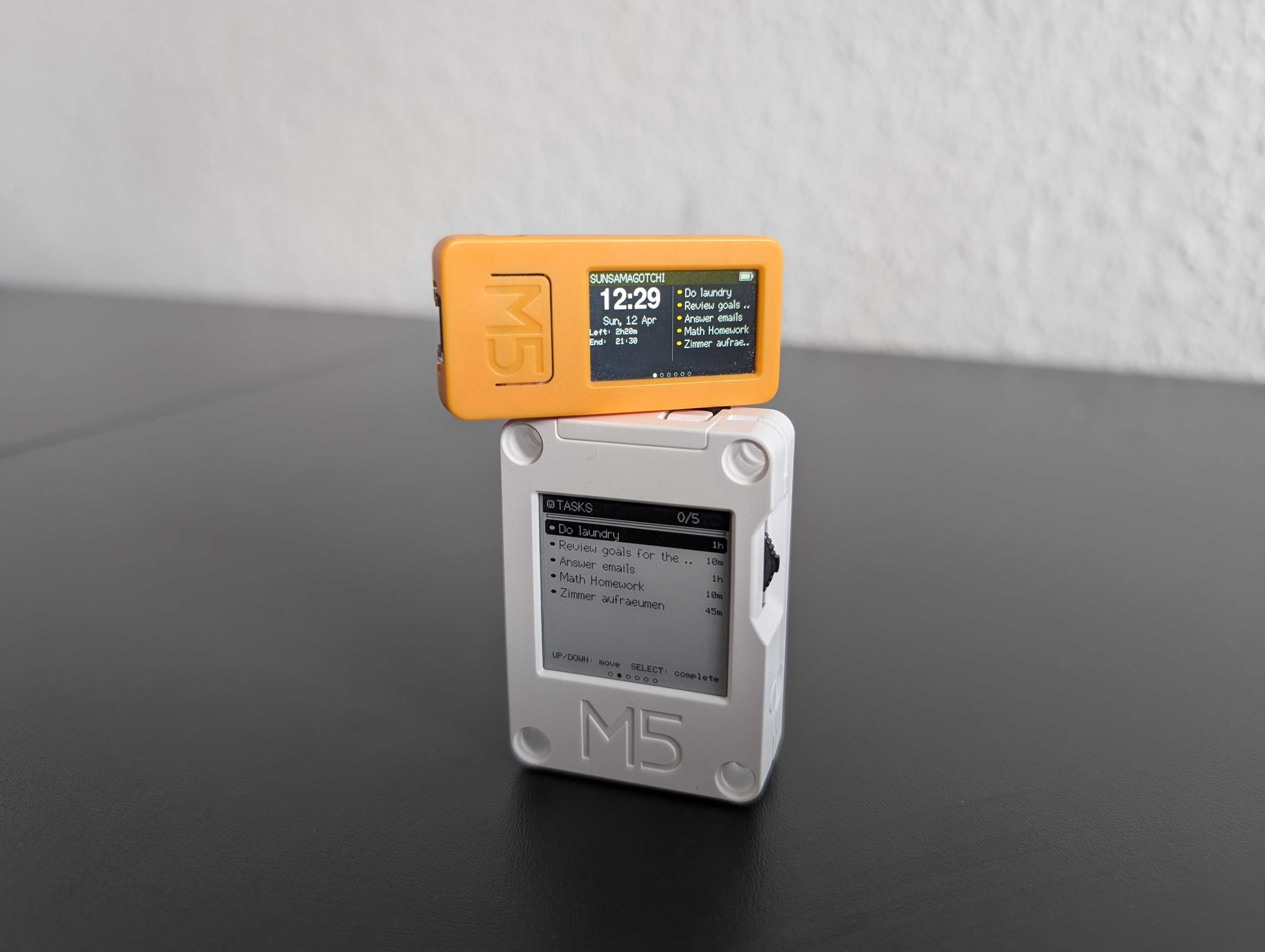
The Sunsamagotchi is a small desk (or wrist) companion built on an M5Stack ESP32 board.
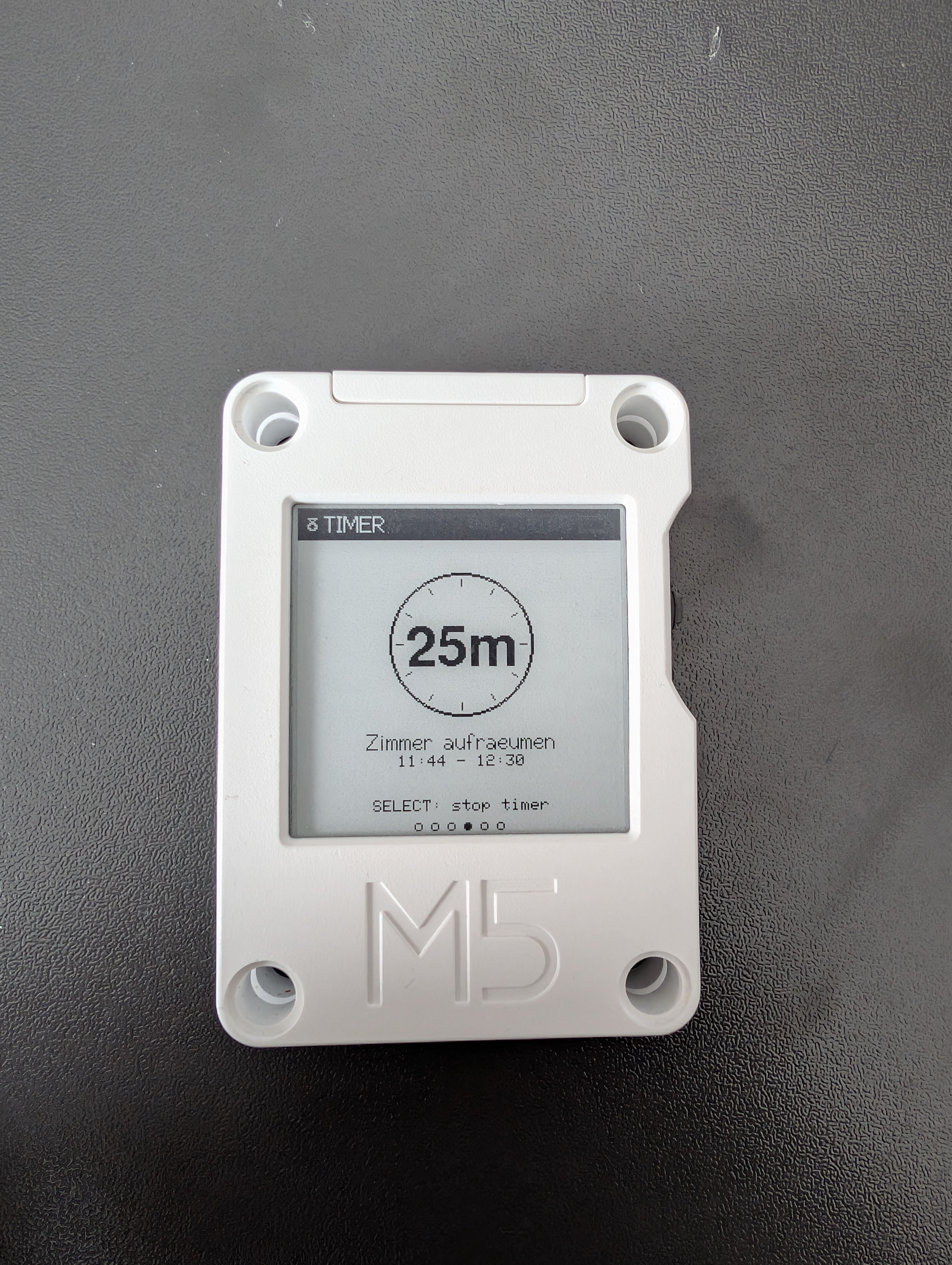
It shows your tasks for the day, lets you check them off with a button press, and can start a timer for the current task. Everything syncs back to Sunsama, so your desktop and phone stay in sync.
No unlocking your phone. No opening a browser tab. No “while I’m here I might as well check…”
Just a screen that tells you what to do next.
I built two versions:
| Board | Display | |
|---|---|---|
| M5Stack CoreInk | 200×200 e-paper, black/white | Lives on the desk. Always on. |
| M5StickC Plus2 | 135×240 TFT, color | Portable, brighter, more playful |
The CoreInk is my favourite. E-paper keeps the last image without using power, so your tasks are always visible—even when the device is technically “off”. It just sits there, waiting for you to continue.
The Slightly Cursed Technical Part
Sunsama exposes an MCP server at api.sunsama.com/mcp.
MCP (Model Context Protocol) is meant for AI assistants—tools like Claude or Cursor that can read your data and act on it.
I skipped the AI part entirely and had the ESP32 talk MCP directly.
Turns out, MCP is just JSON-RPC 2.0 over HTTPS. There’s nothing stopping a microcontroller from pretending to be an “AI client” and calling the same endpoints.
So that’s exactly what it does.
Session flow:
initialize— handshake, protocol version2025-03-26notifications/initialized— readyresources/read— fetch tasks, calendar events, active timertools/call— complete tasks, control the timer
The fun part: this is the same MCP surface AI clients use. The firmware is effectively a tiny, purpose-built MCP client.
Resources used:
sunsama://tasks/{date}
sunsama://calendar/events/{date}
sunsama://active-timer
sunsama://total-planned-time/{date}
Authentication is just a Bearer token from Sunsama’s MCP settings. The same one an AI would use—except here it’s going straight into a small device on my desk.
It’s slightly cursed, but it works perfectly.
The Firmware
Built with PlatformIO using the Arduino framework (espressif32).
Key parts:
-
WiFiClientSecure + HTTPClient for HTTPS TLS verification is skipped. Normally not ideal, but acceptable for a known endpoint.
-
ArduinoJson v7 for JSON-RPC handling
-
Preferences (NVS) to persist credentials and last state across deep sleep
The MCP server can respond with either JSON or SSE (event stream). The client handles both.
Both hardware variants use the same codebase. A simple hal.h abstraction handles display, buttons, sleep, and colors. Switching boards is just:
[env:coreink]
build_flags = -DCOREINK

[env:stickcplus2]
build_flags = -DSTICKCPLUS2
Why I Built This
The problem wasn’t that I didn’t have a to-do list.
The problem was where it lived.
If your tasks are on your phone, they compete with everything else on your phone. Same for your laptop. You open your to-do list, and within seconds you’re doing something else.
Not because of discipline. Just because that’s how those devices are designed.
I wanted something that doesn’t even give me that option.
A device that does one thing: show me what I should be doing right now.
No notifications. No apps. No switching context.
You press a button, you complete a task. You start a timer, you focus on that one thing.
That’s it.
And because it’s physical, it changes how you interact with it. It’s always there on the desk. You can pick it up and carry it around. You don’t have to unlock anything or decide to “check your tasks”—you just glance at it.
It removes the friction and the distractions at the same time.
That was the goal.
It’s Open Source Now
The firmware is on GitHub: MarinGHG/sunsamagotchi. The project is also listed in my portfolio.
If you want to build one, there’s a web flasher at sunsamagotchi.marinbenke.dev. You pick your board, enter your WiFi credentials and Sunsama Bearer token, and it patches and flashes the firmware directly from the browser over WebSerial. Your credentials never leave your machine — the site is static, and the patching happens client-side just before flashing.
For anyone who’d rather build from source, the repo has full PlatformIO instructions.
Closing
Could I have just kept the Sunsama tab open?
Yes. Obviously. That would have been the normal thing to do.
Instead I spent a weekend writing JSON-RPC over HTTPS on a microcontroller, reverse-engineered an AI protocol to use as a personal API, and hot-glued a productivity app to a piece of e-paper.
It removes exactly one click from my workflow.
Totally worth it.
If you work at Sunsama and you’re reading this — hi.
Gallery
The CoreInk showing a running timer for the current task.
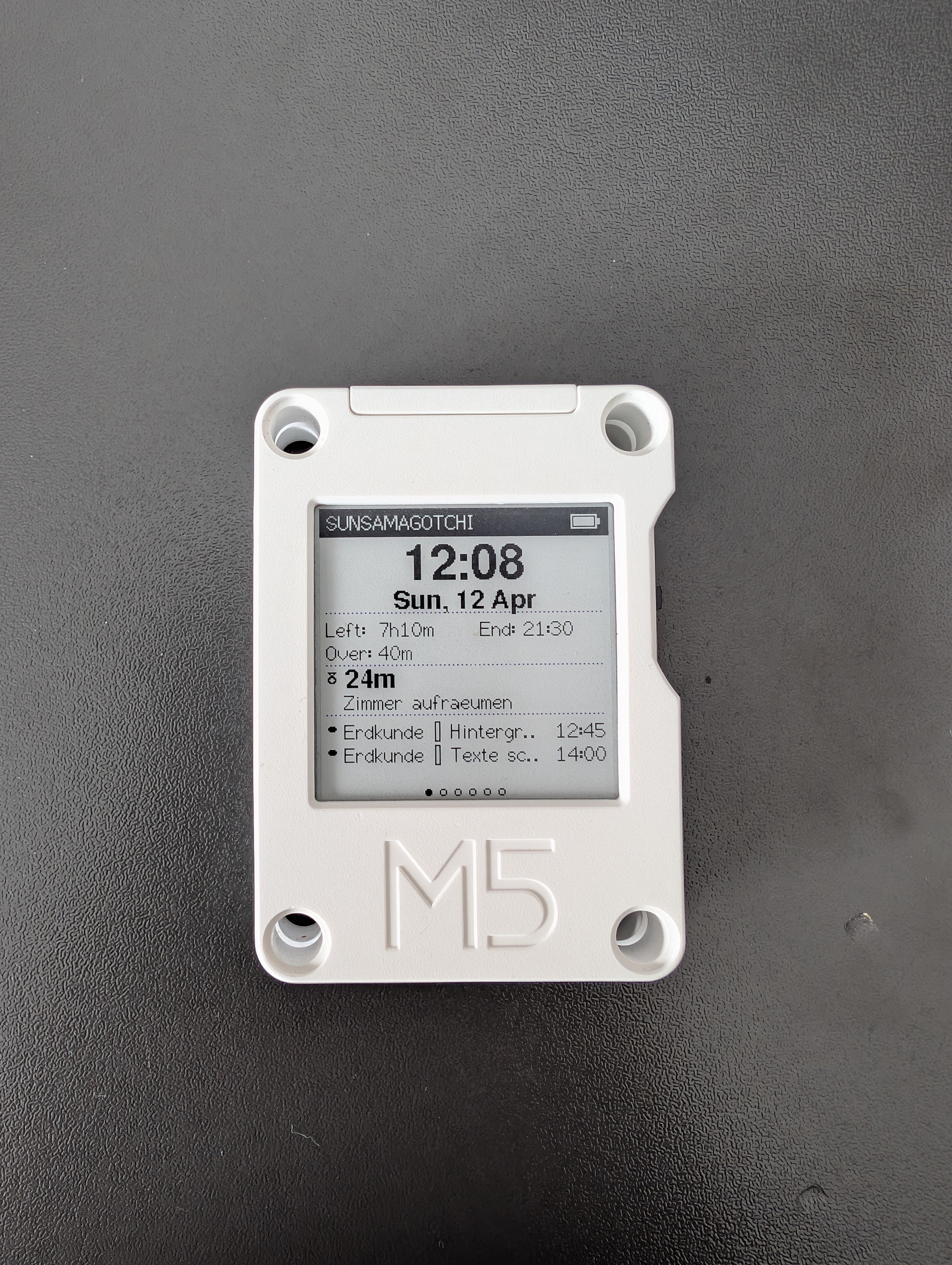
Current time and tasks in a simple, always-visible layout.